16.67. sfm_view
The sfm_view program displays the positions and orientations of a set of
orbital Pinhole camera models (Section 20.1) relative to the ground.
This program is based on umve, by Simon Fuhrmann.
The cameras are represented as pyramids (the pyramid tip is the camera center and the base is the sensor plane), and the ground as shown as a plane. The ground plane is meant to be only a suggestion, and is not at the correct distance or scale from the cameras. It is determined as the plane perpendicular to the vector from the planet center to the mean of camera centers. The planet curvature is not modeled.
The actual field of view (focal length) and optical center of the cameras are not reflected in the plots.
Zooming and scene rotation are done with the computer mouse.
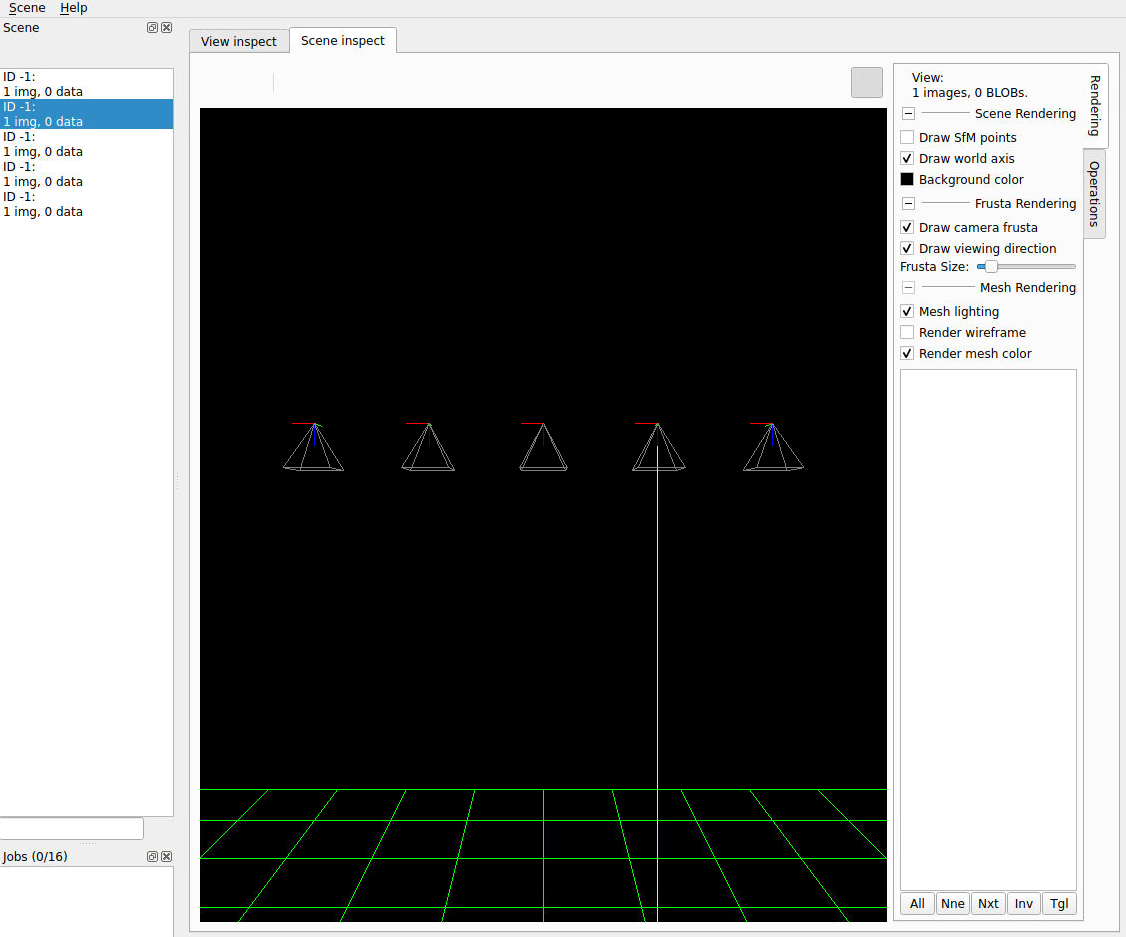
Fig. 16.32 Illustration showing two cameras pointing generally downward. The left panel
lists the camera file names. Clicking on an entry highlights that camera’s
view direction. Synthetic cameras can be created with sat_sim
(Section 16.63).
16.67.1. Example
sfm_view cameras/*.tsai
16.67.2. See also
The orbit_plot.py tool (Section 16.45) can visualize the roll,
pitch, and yaw angles of a set of pinhole and linescan cameras.
The view_reconstruction program (Section 16.79) can display
a 3D point cloud and the cameras that were used to create it, if the reconstruction
was created with theia_sfm (Section 16.77).
Camera poses can be converted to KML with orbitviz (Section 16.46),
to be shown in Google Earth.
16.67.3. Command-line options
- --width <integer (default: 1400)>
Window width in pixels. Specify as
--width=1400.- --height <integer (default: 1200)>
Window height in pixels. Specify as
--height=1200.